
×

XVE MT5 v1.0 is the current MT5 bot version for BTCUSDm and ETHUSDm. It is designed around a cleaner two-symbol crypto workflow, protected access, simple setup, and a clear version history for future updates.
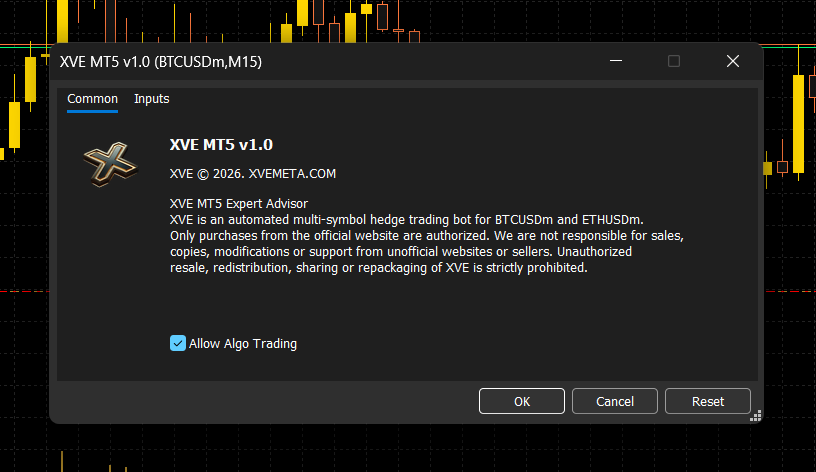
The bot page gives users a simple place to understand the active version, supported symbols, platform requirement, and release direction.
XVE MT5 v1.0 focuses on BTC and ETH automation. Instead of supporting too many instruments at once, this version keeps the system simpler, cleaner, and easier to support for XVE users.
XVE MT5 v1.0 keeps the current release clear by focusing on the two supported crypto symbols.
BTCUSDm is included as one of the core supported symbols for the current MT5 release.
ETHUSDm is included alongside BTCUSDm to keep the bot focused on two crypto markets.
The bot is presented as a multi-symbol Expert Advisor for a cleaner BTC and ETH workflow.
Users should still manage lot size, account risk, broker spread, and overall exposure carefully.
Access should only be delivered after official purchase verification through the XVE website.
Users can ask the assistant or support team about MT5 setup, license access, and file installation.
This section helps users understand what happens after they choose an XVE plan.
Select the XVE package that matches the number of licenses and access period needed.
Complete payment and send the required proof or transaction information for verification.
After verification, the bot files, license details, and setup guidance are delivered digitally.
Copy the Expert Advisor into MT5, enable algo trading, attach it to the chart, and apply the correct settings.
View the pricing page to choose your license package, or open the assistant page for setup and purchase questions.